Renderings, Mockups, and AI, OH MY….
By Curtis Tankersley, Owner of Just Add Paint | Mechanicsburg, PA | Serving Central Pennsylvania for Over 20 Years.
SUMMARY: Choosing a paint color can be tricky—especially when you’re trying to imagine an entire room from a tiny paint chip. Just Add Paint uses AI paint color renderings and digital mockups to help homeowners visualize new colors on walls, cabinets, shutters, doors, and more before painting begins. Learn how these tools work, what they cost, their limitations, and why combining an AI rendering with physical paint samples can make choosing the right color a whole lot easier.
Choosing a paint color should be easy.
You find a little square of color you like. You hold it against the wall. You stare at it thoughtfully. Maybe you ask your spouse, your neighbor, your mother, the dog, and three strangers on Facebook what they think.
Then you paint the room.
And occasionally you say, “Oh no. What have I done?”
Welcome to the wonderful world of paint colors.
At Just Add Paint, we’ve been painting homes in Mechanicsburg, Camp Hill, Harrisburg, and throughout Central Pennsylvania for more than 20 years. One thing we’ve learned is that choosing a color from a two-inch paint chip requires a surprisingly healthy imagination.
Fortunately, technology has given us another option: paint color renderings and digital mockups.
And yes, AI has made them much better.
What Is a Paint Color Rendering?
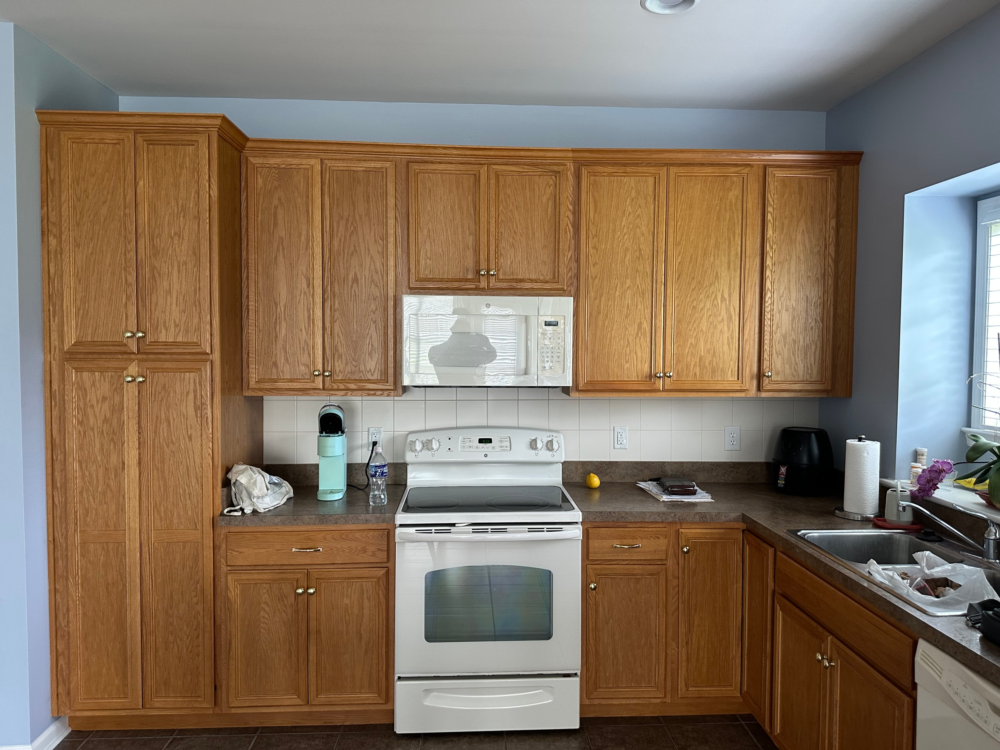
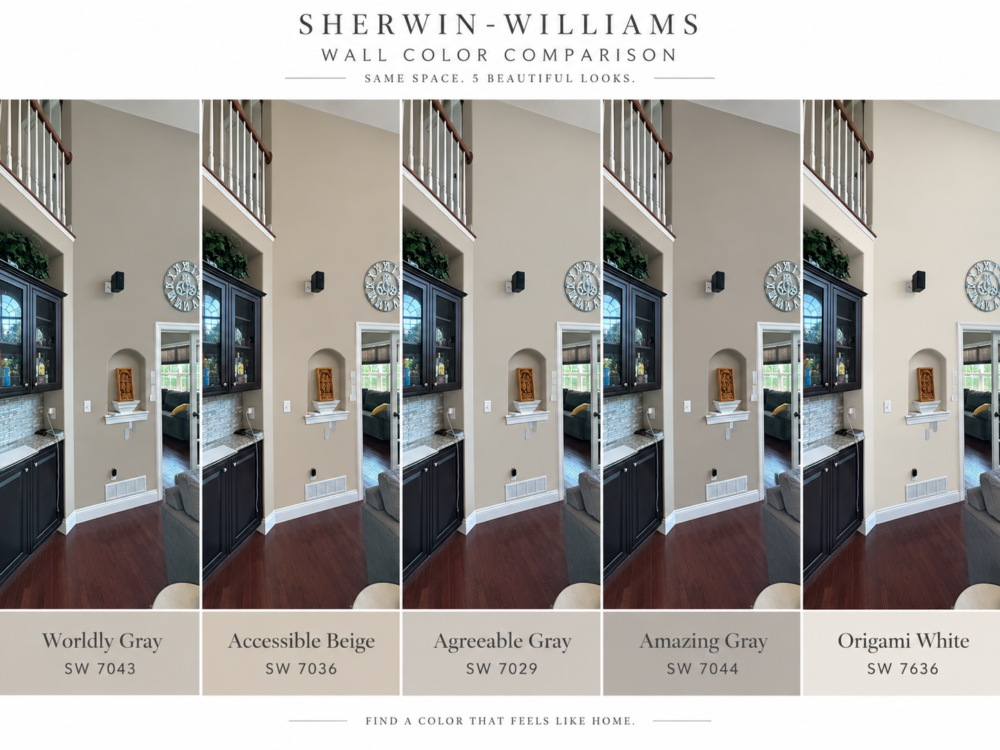
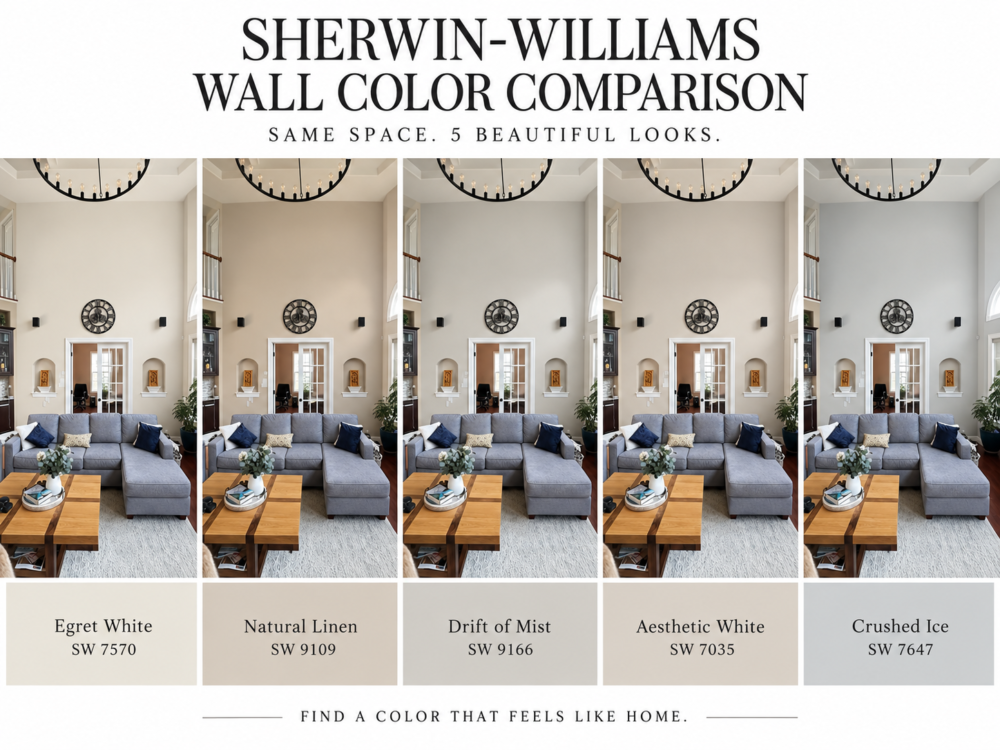
A paint color rendering—or paint color mockup—is a digitally edited photograph showing approximately what a room, kitchen, front door, shutters, cabinets, or other painted surface could look like in a different color.
Want to see your kitchen cabinets in Sherwin-Williams Alabaster?
We can do that.
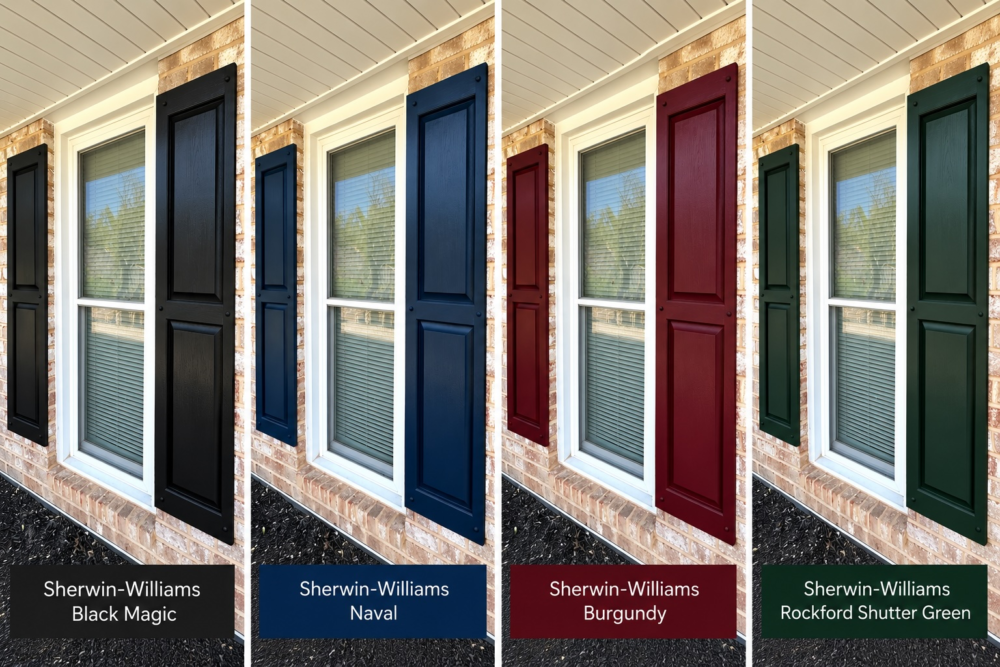
Wondering whether that dark green accent wall is going to look sophisticated or make your living room resemble an Irish pub?
We can take a look.
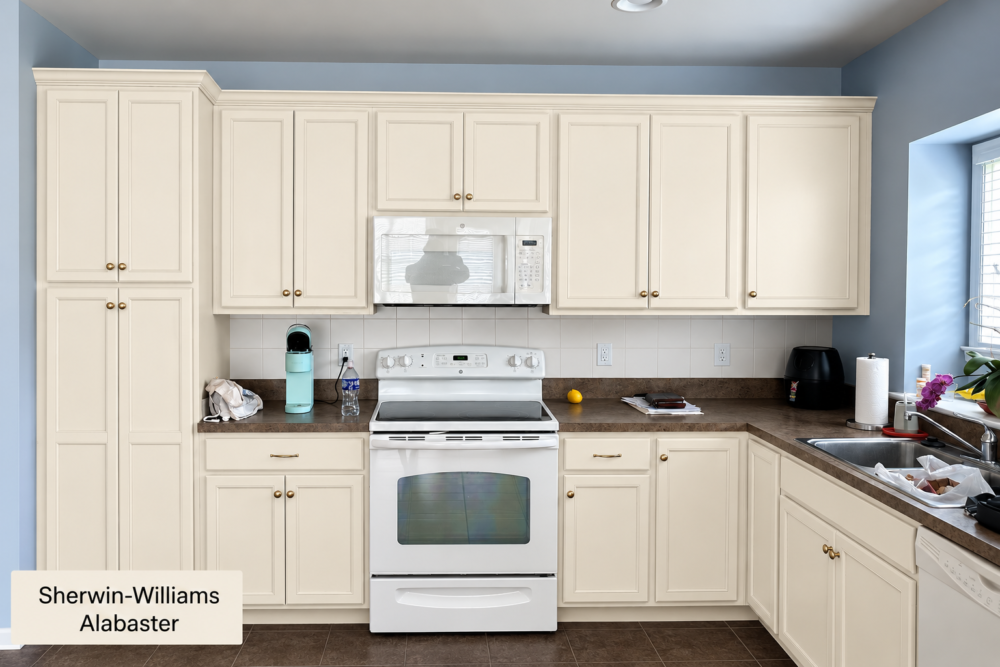
Trying to decide between three exterior colors without actually painting your shutters three times?
Definitely something we should figure out digitally.
Just Add Paint offers renderings to help customers visualize potential color changes before the actual painting begins.
Why Are Paint Mockups So Helpful?
The biggest advantage is obvious: you get to see the idea before committing to it.
Paint samples and color sheets are still extremely useful—we use and recommend them—but a rendering gives you something they can’t: context.
Instead of looking at a beige rectangle, you can see that beige with your flooring, cabinets, countertops, trim, furniture, windows, and lighting.
Mockups can be especially helpful when you’re considering:
- Dramatic color changes
- Accent walls
- Kitchen cabinet colors
- Two-tone cabinets
- Exterior shutters and trim
- Front doors
- Dark or bold colors
- Multiple coordinating colors
They can also help couples settle the timeless marital debate known as:
“Trust me, it’ll look good.”
Now we can at least provide evidence.
Paint Chips vs. Samples vs. AI Paint Color Renderings
| Color Selection Tool | What It Does Best | Main Limitation | Best Use |
|---|---|---|---|
| Paint chips | Quickly compares several colors | Very small and affected by surrounding colors | Narrowing down your choices |
| Large color samples | Shows the actual color at a useful size | Doesn’t show the entire finished room | Checking undertones and lighting |
| Painted test areas | Shows real paint in the actual space | Requires buying paint and putting it on the wall | Confirming a final color |
| AI paint color rendering | Shows how a different color may look throughout your actual room | Digital colors aren’t 100% accurate | Comparing ideas and visualizing major changes |
| Rendering + physical sample | Combines visualization with real-world color | Requires an extra step | Our preferred method for making a final decision |
In other words, an AI paint color visualization is best used to narrow down your choices, while a physical paint or color sample should be used to confirm the final selection.
Can’t I Just Make an AI Mockup Myself?
Absolutely.
You can also paint your own house.
We’re not recommending that either. 😁
Today’s AI image tools are incredibly powerful, but there’s a catch: AI is only as good as the instructions it receives.
Ask an AI program to “make my cabinets white,” and it might make the cabinets white.
It might also change the countertops, replace three doors, redesign your backsplash, move the refrigerator, add a skylight, and apparently decide that you always wanted a ficus tree.
Creating an accurate paint color visualization requires detailed prompts telling the software what should change—and, equally importantly, what should not change.
People who regularly use AI for paint color renderings have already spent time figuring out which prompts work, how to describe surfaces, how to preserve architectural details, and how to keep AI from getting a little too…creative.
We use those techniques regularly.
That’s why paying someone experienced to create the mockup can be money well spent.
How Much Does a Paint Color Rendering Cost?
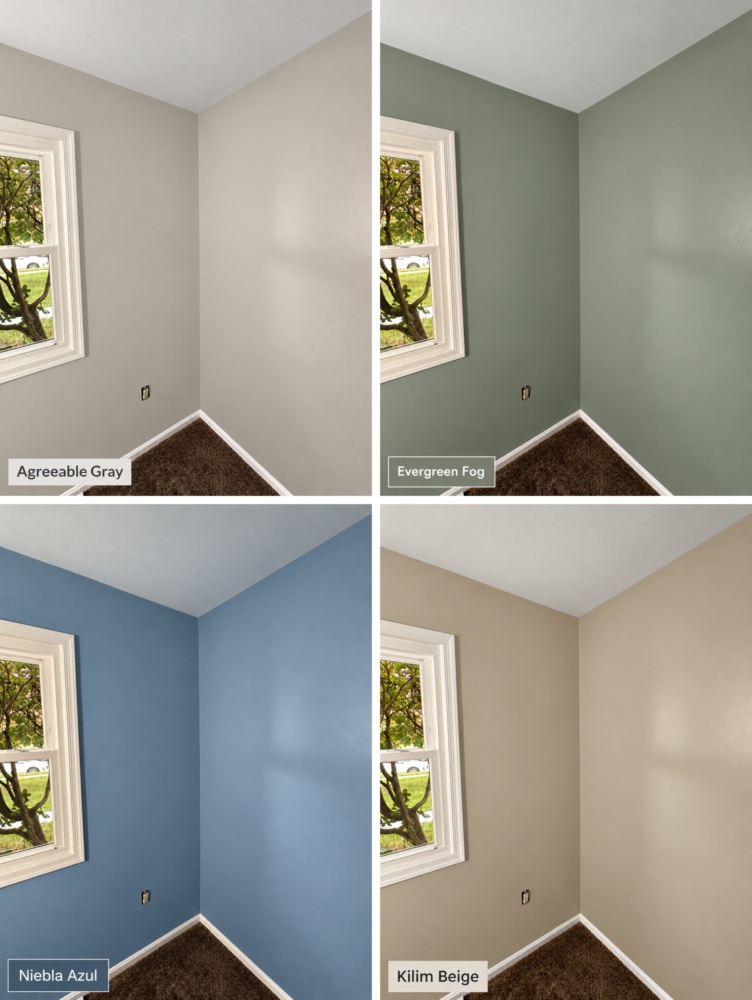
Depending on the number of photographs, colors, surfaces, and variations involved, professional paint color mockups typically cost about $50 to $200.
For a homeowner preparing to spend hundreds or thousands of dollars on a painting project, that’s relatively inexpensive insurance against choosing a color you hate.
Consider the alternative.
Painting a room the wrong color doesn’t mean buying another $6 sample.
It can mean buying more gallons of paint and paying to have the entire room painted again.
And repainting a kitchen full of professionally refinished cabinets because you picked the wrong white?
We’d prefer not to discuss that horror movie.
Are AI Paint Renderings 100% Color Accurate?
No—and this part is important.
A digital rendering should be treated as a visualization tool, not an exact color guarantee.
Computer screens display colors differently. Cameras adjust exposure and white balance. Natural and artificial lighting affect how paint looks. And actual paint colors can change dramatically throughout the day.
That’s why we don’t recommend choosing a final paint color based solely on a rendering.
The rendering helps answer:
“Do I like this general direction?”
Then physical samples help answer:
“Do I like this actual paint color in my house?”
Using the two together is much more useful than staring at 37 nearly identical beige chips until they all start looking the same.
Better Decisions Before We Open the Paint Can
After more than two decades of professional painting, we’ve learned that the best time to discover you don’t like a color is before we put two coats of it on your walls.
AI renderings and paint color mockups give homeowners another tool for making confident decisions, comparing colors, exploring bolder ideas, and communicating exactly what they’re trying to accomplish.
They’re not magic.
They’re not a replacement for physical paint samples.
And they certainly don’t mean your computer monitor suddenly became a Sherwin-Williams color-matching machine.
But used correctly?
They’re pretty darn helpful.
If you’re planning an interior painting, cabinet refinishing, or smaller exterior painting project in Mechanicsburg, Camp Hill, Harrisburg, or Central Pennsylvania, Just Add Paint can help you visualize the possibilities before the painting starts.
Because sometimes the easiest way to see your walls differently…
is to actually see your walls differently.
Thank you for reading our blog “See My Walls With a Different Color: Renderings, Mockups, and AI, OH MY”. Please feel free to reach out to us for estimates – and also if you are a DIYer and just have some questions we can answer in an email. We are happy to talk shop about all things painting, even if you are planning to do a job yourself!
For further Just Add Paint adventures, please check out: https://www.justaddpaint.net/the-agony-of-diy-my-house-painting-supply-checklist
Or: https://www.justaddpaint.net/the-ultimate-guide-to-cleaning-painted-kitchen-cabinets
Or: https://www.justaddpaint.net/why-doesnt-my-touch-up-paint-match-answered